
_edited.png)

Two to Three Songs That Work for Wedding Slideshows: Oahu DJ Sync Tips

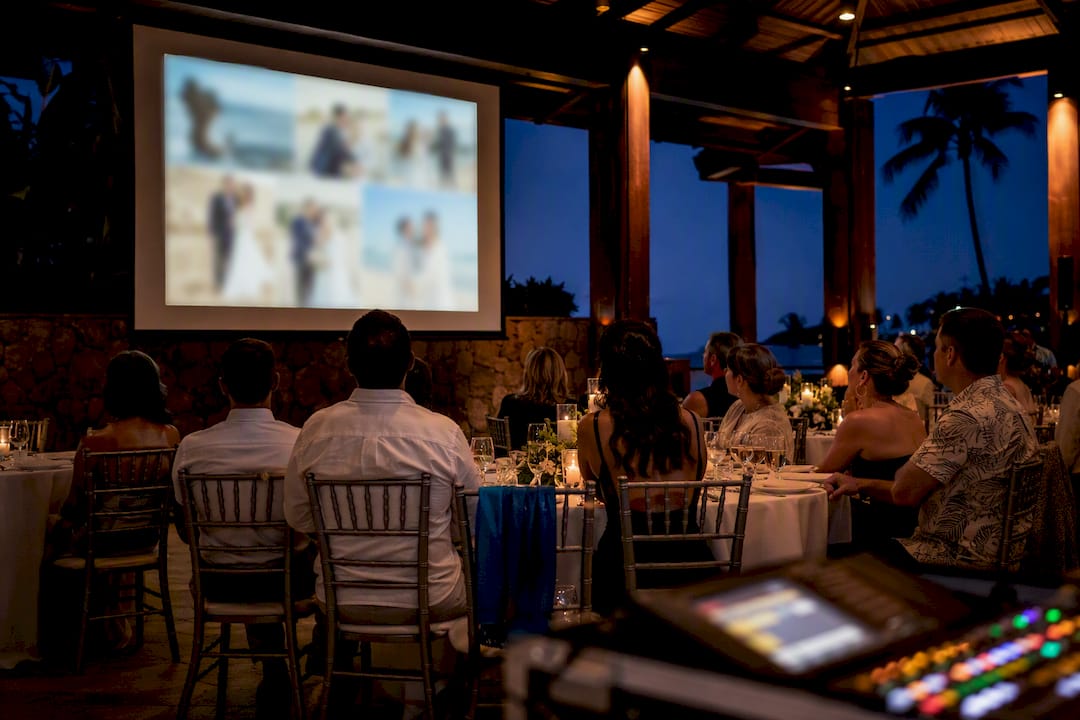
Pick one to three songs matched to your slideshow’s length and story, and you’re most of the way there. For a love-story reel, start with a romantic ballad like “A Thousand Years” or “Marry Me,” lean on an instrumental if lyrics feel like too much, and use the genre lists and timing templates below to fill in the rest.
TL;DR:
Most couples should aim for a slideshow length of five to seven minutes, covering 40 to 70 photos, to keep guests engaged.
Using two to three songs is optimal for pacing, with each track supporting different moments like emotional peaks or celebration segments.
Sync images to music by emphasizing beats for upbeat parts and lingering longer on emotional or significant photos, especially during vocals or lyrics.
Export the slideshow as a single MP4 with embedded audio and test it before the event to avoid playback issues and ensure smooth transitions.
For public sharing, replace licensed tracks with instrumental covers or licensed library music to avoid copyright problems.
Table of Contents
Best Wedding Slideshow Songs: A Quick Top 10 Shortlist
If you need a soundtrack tonight, start here. This shortlist blends timeless favorites, current hits, and one instrumental option so you can match tone without overthinking it.
“A Thousand Years” by Christina Perri — the go-to for a slow build toward the ceremony reveal.
“All of Me” by John Legend — steady tempo, perfect for a couple’s love-story arc.
“Marry Me” by Train — playful and upbeat, works well for engagement or proposal photos.
“Perfect” by Ed Sheeran — a modern favorite for the first-dance-adjacent moment.
“Thinking Out Loud” by Ed Sheeran — mid-tempo, good for a family highlight reel.
“Speechless” by Dan + Shay — country-leaning, strong for outdoor or rustic weddings.
“Canon in D” (instrumental) — a safe, lyric-free choice for public sharing.
“At Last” by Etta James — timeless, great for a black-and-white photo segment.
“Better Together” by Jack Johnson — light and warm, fits a childhood-to-now reel.
“River Flows in You” (piano instrumental) — ideal for a quiet, reflective closing moment.
Need a cleaner cover version for a public post? Swap in a piano or string-quartet arrangement of any track above; the melody carries the emotion without the licensing headache.
Wedding Slideshow Songs by Genre and Moment
Music sticks better when it matches the story you’re telling, not the other way around. Slideshow experts consistently recommend mapping the story first, then choosing the soundtrack so the songs support specific memories instead of forcing photos to fit a beat. Build your chapters (childhood, courtship, wedding day) before you touch your music library.
Romantic and timeless. These carry a couple-focused reel from the first slide to the last.
“At Last” by Etta James
“The Way You Look Tonight” by Frank Sinatra
“A Thousand Years” by Christina Perri
“Unforgettable” by Nat King Cole
“All of Me” by John Legend
“Can’t Take My Eyes Off You” by Frankie Valli
“Make You Feel My Love” by Adele
Use these when the slideshow’s job is simple: let the audience watch two people fall in love, frame by frame.
Modern love songs. If your taste runs current, these fit lyric-sensitive moments without sounding dated.
“Die For You” by The Weeknd (acoustic versions work better for slideshows than the original)
“Lover” by Taylor Swift
“Stay” by Rihanna
“Best Part” by Daniel Caesar and H.E.R.
Read the lyrics all the way through before committing. A song that sounds romantic in the chorus can turn dark or breakup-focused by verse two, and that’s an easy miss when you’re only half listening while scrolling a playlist.
Upbeat and celebratory. Group shots, wedding party photos, and dance-floor previews need energy, not longing.
“Uptown Funk” by Mark Ronson featuring Bruno Mars
“September” by Earth, Wind & Fire
“Can’t Stop the Feeling!” by Justin Timberlake
“I Gotta Feeling” by The Black Eyed Peas
Childhood-to-now reels. Family photo montages need warmth without drama, and slower tempos tend to work better than anything danceable.
“Better Together” by Jack Johnson
“Beautiful Boy” by John Lennon
“You’ve Got a Friend in Me” by Randy Newman (for playful, younger photo sets)
“Landslide” by Fleetwood Mac
“In My Life” by The Beatles
Instrumental and covers. Piano arrangements, string quartets, and licensed-library tracks solve two problems at once: they avoid lyric mismatches, and they clear copyright concerns if the video is going online. “Canon in D,” “River Flows in You,” and orchestral covers of pop songs all fit here.
Country and classic categories. For rustic or traditional weddings, “Speechless” by Dan + Shay, “Die a Happy Man” by Thomas Rhett, and “The Way You Look Tonight” cover both moods without straying from the room’s overall style.
Genre-organized lists like this one give you a fast way to match tone to moment instead of guessing your way through a streaming app at midnight.
How Many Songs and How Long Should the Slideshow Run?
Most couples overthink the length and underthink the pacing. Wedding slideshows built around two to three songs, covering roughly 40 to 70 photos, tend to hold guest attention best, and a four to six minute runtime is the sweet spot for a reception crowd that’s mid-conversation.
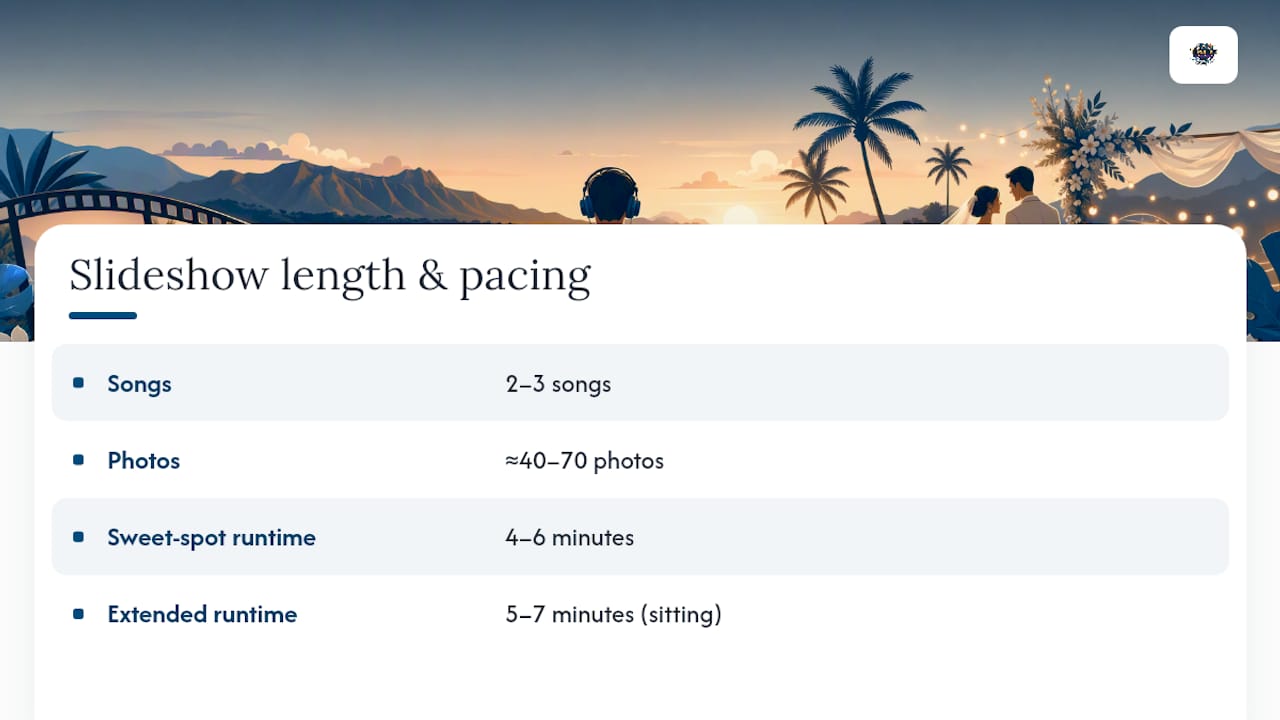
Stick close to the 5 or 7 minute row unless you’re playing the slideshow somewhere guests can sit and watch without distraction.
Syncing Photos to Music Without the Guesswork
Cutting on the beat works for upbeat segments, group shots, and anything meant to feel snappy. For emotional peaks, hold the image a beat longer than the music suggests. Let a parent’s photo linger through an entire lyric line instead of chopping it to match the tempo.
Cut fast during instrumental or upbeat sections; slow down for names, vows, or lyric hooks.
Build one mixed master audio file instead of stitching separate tracks. It avoids gaps and playback errors at the venue.
Add two to three second fades between songs so transitions don’t feel abrupt.
Mix loud enough for a room, not headphones.
Pro Tip: Test your slideshow’s audio in the actual event space before the big day. Rooms full of guests eat sound, so your master mix usually needs to sit a bit louder than what sounded perfect through your headphones at home.
Playback Formats and Licensing Basics
Playing music at a private reception is different from posting the slideshow to Instagram or YouTube. Private playback rarely raises copyright issues; public posting usually does, so it pays to have a plan before you upload anything.
Export as MP4 with AAC audio, or embed the audio directly in the video file. DJs and AV techs prefer one combined file over separate audio and video tracks, since split files are the most common cause of playback errors at events.
For public sharing, swap major-label tracks for instrumental covers or licensed libraries like the music catalogs built into Canva or Adobe Express.
Bring a backup: a USB drive loaded with the final file plus a cloud link, in case the venue’s system won’t read one format.
Test the file on the actual projector or screen setup beforehand, not just on your laptop.
Terriffics’s On-Site Checklist for Slideshow Playback
Coordinating a slideshow with your event’s sound and lighting isn’t complicated, but it does reward a little prep. Here’s the short version we walk couples through before every event.
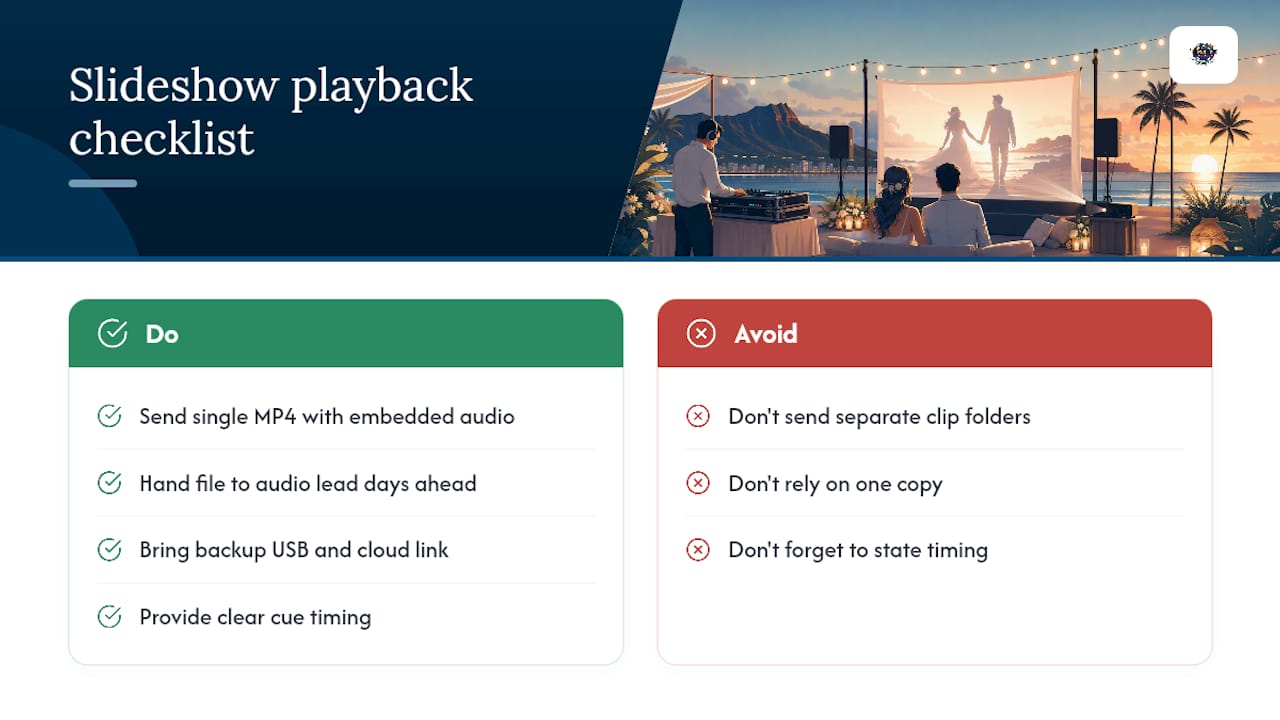
Send your final file as a single MP4 with embedded audio, not a folder of separate clips to ensure smooth coordination with your wedding DJ. Hand it off to whoever’s running audio (your DJ, your venue coordinator, or us) at least a few days ahead, with a clear cue: right after toasts, before the first dance, wherever it fits your timeline. Always bring a backup USB and a cloud link. Systems fail; redundancy doesn’t.
Terriffics helps couples across Oahu pull this together as part of our DJ sound and lighting packages, and we cross-support slideshow playback alongside our photobooth setups so your visuals and your soundtrack land at the same event without a scramble. If you want assistance checking cues and audio levels on the day, that service can be arranged.
— Terriffics
Sources
Recommended
Comments