
_edited.png)

DJ Event Checklist: Your Complete 2026 Planning Guide

Updated: Sep 10
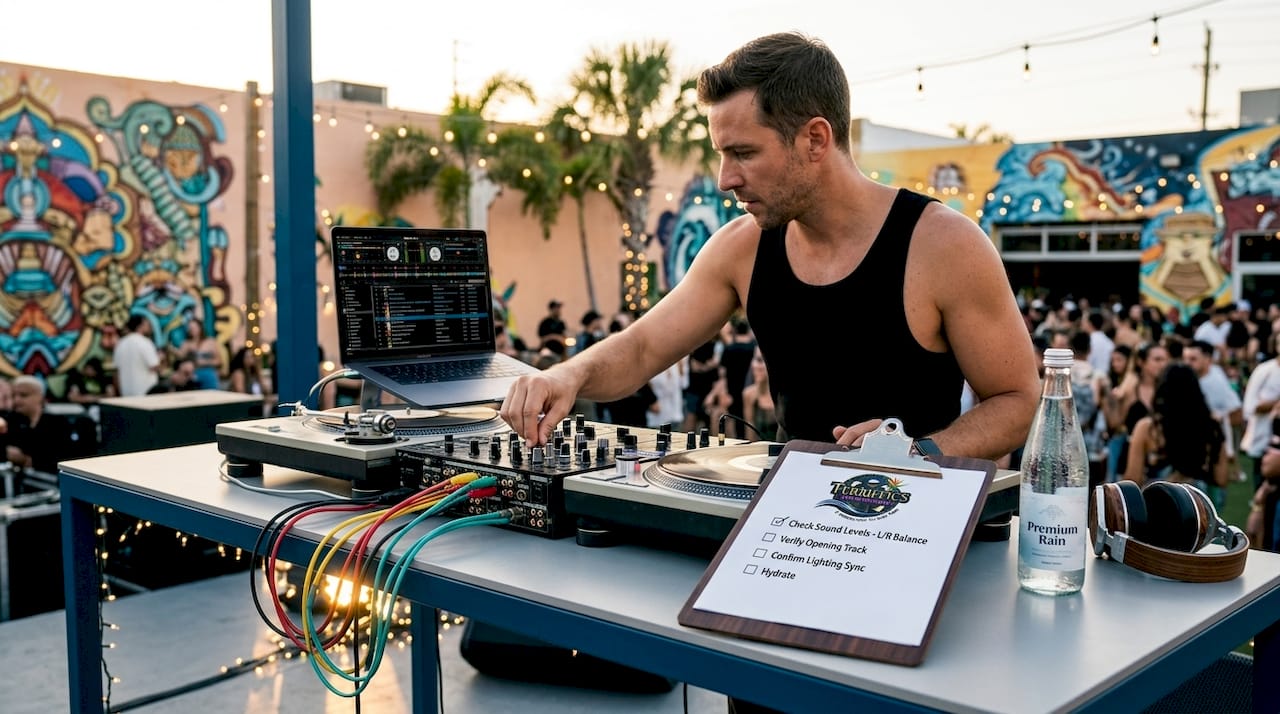
A DJ event checklist is a structured, multi-phase planning and execution tool that covers every detail from gear selection to post-event teardown, making the difference between a flawless celebration and a preventable failure. Whether you’re coordinating a wedding reception at a Honolulu ballroom or a graduation party in Kapolei, this checklist format, also called a technical advance document by production professionals, keeps every moving part organized and on time. Equipment like Pioneer CDJ-3000 players and DJM-900NXS2 mixers require specific power, space, and connectivity that venues won’t automatically provide. A thorough checklist removes all guesswork before the first guest walks in.
1. What your DJ event checklist must include for equipment
The foundation of any solid DJ gig preparation is a detailed equipment list that specifies make, model, and quantity for every piece of gear. Vague descriptions like “DJ controller” leave venue engineers guessing and create setup delays. Specificity is what separates professionals from amateurs.
A complete DJ equipment list should cover:
Playback devices: 2x Pioneer CDJ-3000 or equivalent media players, plus a backup USB drive with the full music library
Mixer: Pioneer DJM-900NXS2 or DJM-V10, with a secondary mixer or controller as backup
Headphones: Primary pair (e.g., Sennheiser HD 25) plus a backup set
Speakers and monitors: Main PA speakers, subwoofers, and at least one stage monitor for the DJ booth
Cables: XLR, RCA, and USB cables in duplicate, labeled and organized
Lighting: LED uplights, a moving head fixture, or a laser system depending on venue size
Laptop and audio interface: With a backup laptop pre-loaded and ready
Power requirements deserve their own line item. A dedicated circuit with at least 20% headroom protects against tripped breakers mid-set. Confirm the venue provides a minimum of two grounded outlets on a dedicated circuit, and protect critical paths with a UPS (uninterruptible power supply).
Pro Tip: Send your full equipment list and power requirements to the venue contact at least two weeks before the event. This one step eliminates 80% of day-of technical surprises.
2. How to plan music and event details in your checklist
Music planning is where the DJ event checklist becomes personal. Every event has a unique emotional arc, and the checklist must capture that arc in writing before the event day arrives.
Start by collecting two critical lists from your client: a must-play list and a do-not-play list. The do-not-play list often matters more than the must-play list, because one wrong song can derail the mood instantly. Respecting those boundaries is non-negotiable.
Your music and event detail checklist should include:
Special moment cues: First dance song, parent dances, cake cutting, toasts, and grand entrance music with exact song titles and timing
Genre and energy preferences: Preferred styles for cocktail hour, dinner, and open dancing
Event timeline: Written schedule showing ceremony start, cocktail hour, dinner service, and reception with DJ transitions marked
Vendor contacts: Caterer, photographer, and venue coordinator names and phone numbers for real-time coordination
Contract details: Payment schedule, cancellation policy, and music licensing confirmation
A reliable payment structure typically includes a 25 to 50 percent non-refundable retainer at booking, with the balance due one to two weeks before the event. Get this in writing and include it in your checklist as a deadline item.
Pro Tip: Build a 20-minute buffer into the event timeline for every two-hour block. Speeches run long, dinners run late, and a rigid timeline without flex time creates stress for everyone.
3. Day-of execution items every DJ setup checklist needs
The day-of checklist is where preparation meets reality. Even the best-planned event can fall apart without a clear sequence of actions from load-in to teardown.
Follow this numbered sequence on event day:
Confirm load-in time and parking with the venue contact the morning of the event. Arrive at least 90 minutes before guest arrival.
Unload and stage all gear in the designated DJ area before beginning any connections. Lay out cables, power strips, and equipment in the order you will connect them.
Connect and power up all equipment systematically: power first, then audio connections, then lighting.
Run a full soundcheck with music at performance volume. Walk the room to check for dead spots or feedback zones.
Test all backup equipment including the backup laptop, spare USB drives, and secondary cables. Do not assume they work.
Coordinate with the venue AV team to confirm speaker feeds, monitor levels, and any house system integrations.
Brief the event coordinator on the timeline, cue points, and any last-minute changes from the client.
Set up hospitality items including water, a small table for personal items, and any agreed-upon meal arrangements.
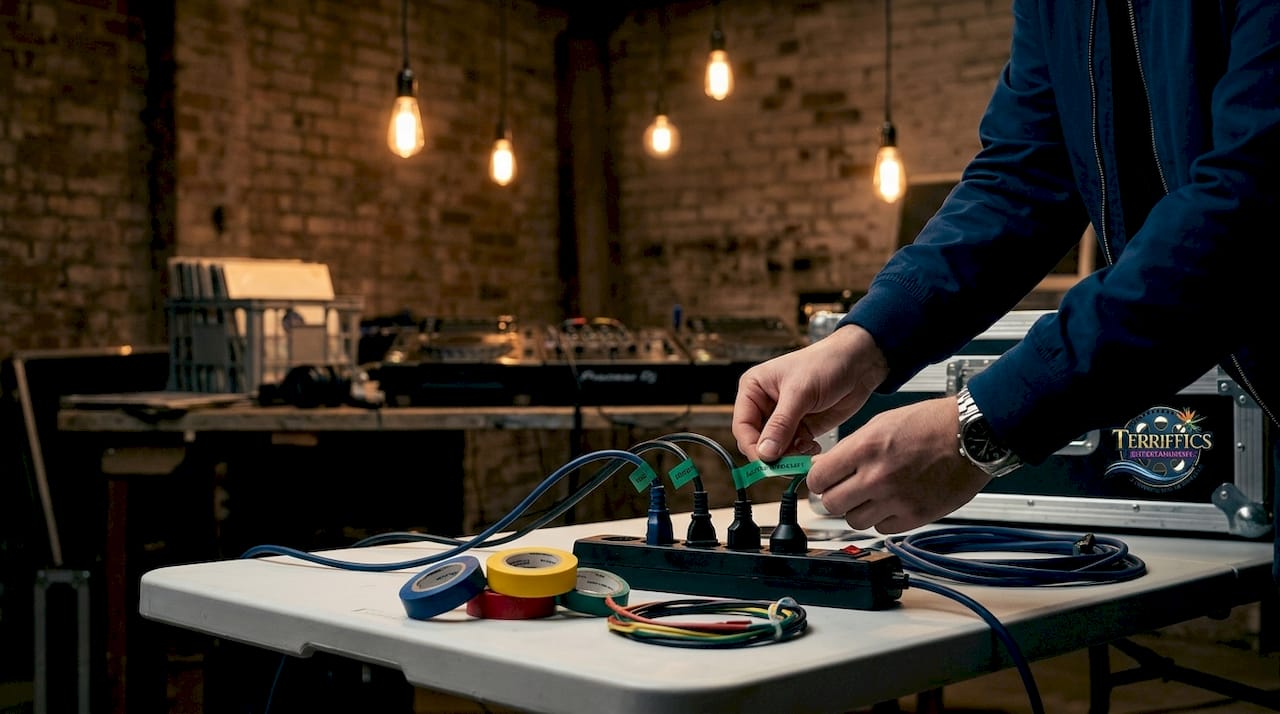
Standardizing cue rehearsals and labeling all power and signal paths with tape reduces errors during the event itself. This practice is standard at corporate events and large festivals, and it works just as well at a birthday party.
Pro Tip: Keep two of every mission-critical item at the venue. One spare USB drive is not enough. Bring two, stored separately, in case one is lost or corrupted.
4. How DJ tech riders and stage plots fit into your checklist
A DJ tech rider is a formal written document that communicates every technical and logistical requirement to the venue or production team before the event. It is the professional standard for event planning for DJs at any scale, from small clubs to large festivals.
A complete tech rider includes:
Equipment list with exact make and model for every item
Booth dimensions (a standard DJ setup requires a table at least 6 feet by 2 feet)
Power requirements with circuit specifications
Monitor placement and type
Connectivity needs: Wi-Fi, ethernet, and audio interface specs
Hospitality requests: water, meals, and parking
Emergency contact information
A stage plot is a visual diagram showing where each piece of equipment sits on the stage or in the booth, along with input assignments. The input list details every channel-to-source assignment, microphone and DI types, phantom power needs, and equipment ownership. Together, the tech rider and stage plot transform load-in from improvisation into a repeatable process.
Here is how these three documents compare:
Document | Format | Primary purpose |
Stage plot | Visual diagram | Shows equipment placement and input positions |
Tech rider | Written document | Lists all technical and hospitality requirements |
Tech advance | Full package | Combines schedule, input list, power specs, and all rider details |
Sending the tech advance two to six weeks before the event, with a follow-up one week prior, is the standard for professional DJ gig preparation. Festival acts often require even longer lead times.
5. Common mistakes that a strong checklist prevents
Most DJ event failures trace back to a short list of avoidable errors. Knowing what goes wrong most often is the fastest way to build a checklist that actually protects you.
The most common mistakes include:
Vague equipment descriptions that leave venue engineers guessing about power draw or input types
Missing monitor requests that force the DJ to perform without hearing themselves clearly
Insufficient power planning without dedicated circuits or UPS protection on critical paths
Outdated tech riders that still list old gear after the DJ has upgraded equipment
No backup plan for a failed laptop, corrupted USB drive, or blown speaker
Skipping the soundcheck because setup ran long, which guarantees audio problems during the event
Freezing the setlist too early without leaving room for crowd reading and real-time adjustments
The technical rider forces specificity that prevents most of these failures. Omissions like not specifying monitor models or understating power needs are the leading causes of show failures at both small and large events.
Pro Tip: Store your checklist in at least three places: a printed copy in your gear bag, a digital copy on your phone, and a shared cloud document your client or event coordinator can access. If something goes wrong, everyone has the same information.
Key takeaways
A complete DJ event checklist covering equipment specs, music planning, day-of execution, and formal tech rider documents is the single most reliable way to prevent event failures and build client trust.
Point | Details |
Specify all equipment by make and model | Vague gear descriptions cause setup delays and technical failures at the venue. |
Collect must-play and do-not-play lists | The do-not-play list protects the event’s mood as much as the must-play list does. |
Send the tech rider 2 to 6 weeks early | Early submission gives venues time to prepare and eliminates day-of surprises. |
Keep redundant backups for critical gear | Two USB drives, a spare laptop, and duplicate cables prevent show-stopping failures. |
Treat the checklist as a living document | Update it every time your gear, setup, or event type changes. |
Why we think the checklist mindset changes everything
After working events across Oahu, from intimate backyard graduations to large corporate gatherings, we have seen one pattern repeat itself: the events that go smoothly are the ones where the DJ arrived with a complete, specific, and updated checklist. Not a mental list. A written one.
The biggest shift we have seen in professional DJ event coordination is the move from a simple stage plot to a full technical advance document. That shift is not just about paperwork. It signals to every vendor, venue coordinator, and client that you take the work seriously. Venues respond differently when they receive a detailed tech rider two weeks out versus a DJ who shows up and asks where the outlets are.
We also think most DJs underestimate how much the checklist benefits the client. When a client sees that you have documented their first dance song, their do-not-play list, and the exact timeline for every transition, their confidence in you goes up immediately. The checklist is a trust-building tool as much as a technical one.
Our honest take: treat your checklist as a living document. Every time you upgrade gear, change your setup, or work a new venue type, update it. The checklist that worked for a wedding in 2024 may not cover everything you need for a school event or a corporate gala in 2026. For more ideas on planning DJ events that go beyond the basics, we have seen what works firsthand across every event type on the island.
— Terriffics
Let Terriffics Entertainment handle the details for you
Planning a DJ event on Oahu takes time, coordination, and the right team behind you. At Terriffics Entertainment, we bring fast setup, professional sound and lighting, and a personalized approach to every celebration, from weddings and graduations to school events and corporate gatherings across the entire island.
Our DJ, photo booth, and karaoke packages are designed to mix and match so you get exactly what your event needs without paying for what you don’t. Want to see what a real Oahu event setup looks like? Browse our event gallery for inspiration, then reach out to get a custom quote. We make the planning easy so you can focus on celebrating.
FAQ
What should a DJ event checklist include?
A DJ event checklist should cover equipment with exact make and model, power requirements, music preferences including must-play and do-not-play lists, the event timeline, venue contacts, and backup gear for all critical items.
How early should a DJ send a tech rider to the venue?
Send the tech rider two to six weeks before the event, with a follow-up one week prior. Larger festivals and multi-act events typically require even longer lead times.
Why is the do-not-play list important for DJ event planning?
The do-not-play list prevents awkward or offensive moments that can derail the event’s mood. Respecting client restrictions is as important as playing the right songs.
What is the difference between a stage plot and a tech rider?
A stage plot is a visual diagram showing equipment placement and input positions. A tech rider is a written document covering all technical requirements, power specs, hospitality needs, and contact information.
How do you prevent technical failures at a DJ event?
Keep two of every mission-critical item, protect power circuits with at least 20% headroom and a UPS on key paths, run a full soundcheck before guests arrive, and store your checklist in multiple locations, including print and cloud backup.
Recommended
Comments